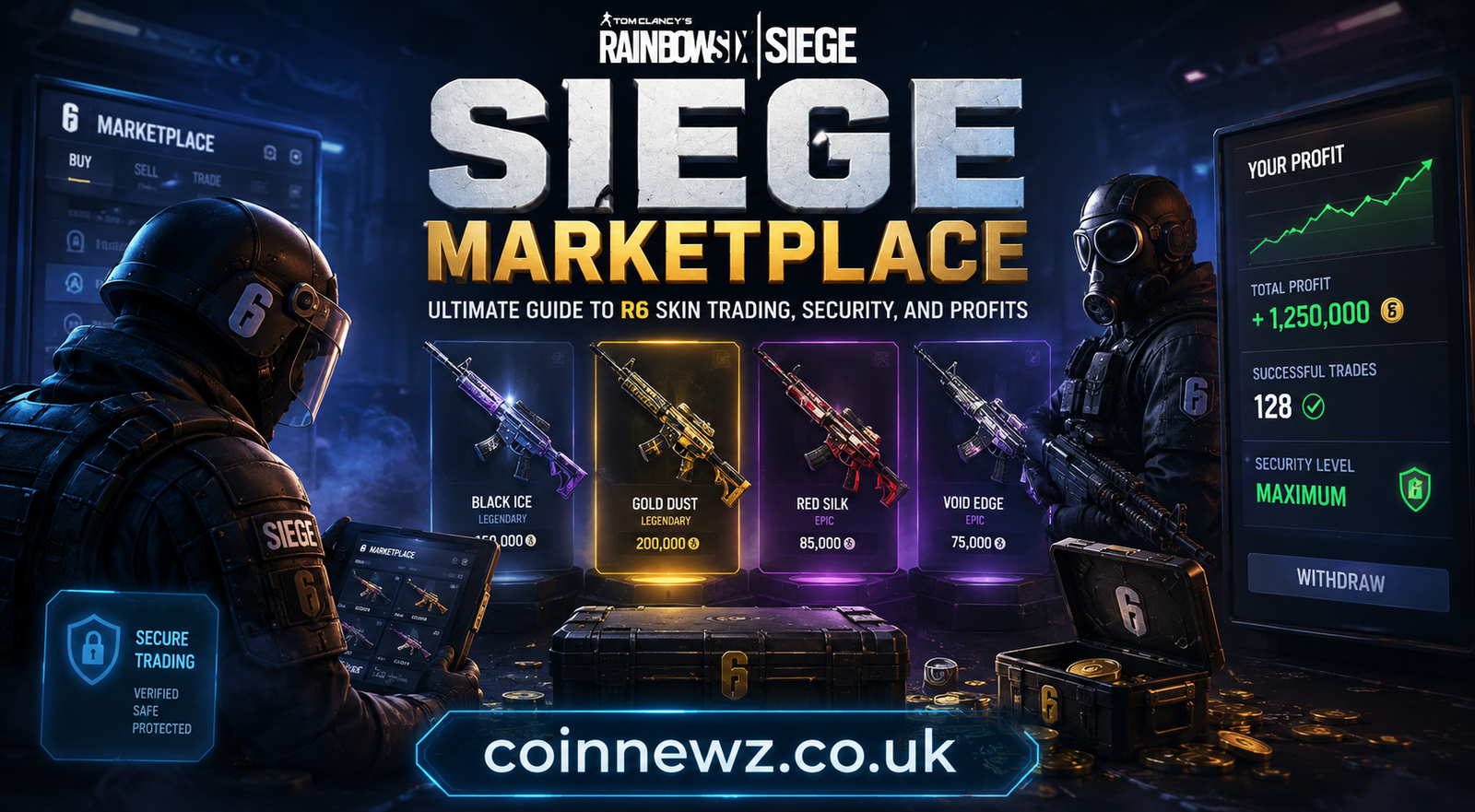
Siege Marketplace: Ultimate Guide to R6 Skin Trading, Security, and Profits
The introduction of an official player-to-player asset exchange has thoroughly overhauled the cosmetic ecosystem of Tom Clancy’s Rainbow Six Siege. Players are no longer forced to rely on illicit, highly dangerous third-party external networks to trade legendary gun aesthetics or vintage operator outfits. The official web-driven siege marketplace infrastructure provides a streamlined, heavily encrypted dashboard where community members can clean out redundant cosmetic inventories or acquire historic items using premium R6 Credits.
Whether your primary goal is to target coveted Black Ice gear, maximize daily trading profit margins, or figure out how recent system changes affect active listings, this technical operational manual breaks down every element required to master the platform like an expert investor.
What is the Siege Marketplace?
The siege marketplace is a native, web-based digital asset exchange designed by Ubisoft Entertainment that enables verified Rainbow Six Siege players to buy and sell pre-approved in-game customization items. This player-driven economy runs entirely on a single operational medium: R6 Credits, the premium currency acquired through official platform stores.
Instead of allowing duplicate drops, rare charms, or old seasonal items to sit abandoned in your profile menu, you can put them up for auction. The siege marketplace utilizes an automated, blind order-matching transaction engine. Buyers and sellers input their personal price targets, and the central system pairs matching accounts instantly when transaction parameters intersect perfectly.
Technical Overview: Core Trading Mechanics
To trade successfully on the public platform without overspending or listing high-value gear below true market valuation, you must understand exactly how the internal system handles matching priorities.
Order Sorting and Time Priority Queue
The transaction engine behind the siege marketplace follows a strict first-in, first-out sequence based entirely on entry time stamps. If multiple buyers post a buy order for an identical cosmetic item at the same price point, the profile that submitted the bid first receives the next available item from a seller. Modifying an active order’s price resets its placement in the matching queue.
Bid Resolution via Maximum Limits
When a user sets a buying order inside the siege marketplace, the input currency value serves as the maximum cap they are willing to pay. The internal engine actively searches the server pool to match that bid against the lowest available sell order. If an asset is listed for sale below your maximum cap, the engine fulfills the exchange at the cheaper price point, automatically returning the remaining credits to your balance.
Structural Limits and Transaction Parameters
The virtual exchange operates within fixed boundaries to maintain software stability and prevent rapid algorithmic exploit routines. The central system restricts user portfolio activity via several specific structural guidelines:
- Order Lifespans: Active buy or sell orders are held on the server database for up to 30 days before automatic cancellation occurs.
- Concurrent Constraints: Traders can have a maximum of 5 open buy orders and 5 open sell orders active simultaneously.
- Velocity Tracking: Users are capped at a maximum of 20 completed buy transactions and 20 completed sell transactions within any rolling 24-hour window.
Detailed Step-by-Step Guide to Executing Trades
Navigating the web interface requires careful attention to detail to ensure your transaction requests execute cleanly and securely.
Step 1: Secure Web Portal Authentication
Because the trading hub is hosted on an isolated external browser application rather than the local desktop or console game client, you must authenticate through a web browser:
- Launch a clean tab in any modern desktop or mobile web browser.
- Navigate directly to the official R6 Marketplace Web App.
- Click the primary login gateway and enter your Ubisoft Connect credentials carefully.
- Provide the temporary security code sent to your linked multi-factor device to bypass the account firewall.
Step 2: Formulating a Buy Request
To secure a historical asset from the open public community pool through the siege marketplace:
- Open the “Buy” option located on the primary navigation menu layout.
- Use the search filters to sort cosmetics by operator weapon, attachment class, rarity tier, or seasonal origin.
- Select the targeted skin to open its historical transaction volume and live price chart.
- Enter your absolute maximum purchase offer in the designated currency slot.
- Click the confirmation prompt; the network will immediately hold your credits and begin scanning for matching sellers.
Step 3: Initializing an Inventory Sale Order
To convert idle weapon modifications and seasonal uniforms into spendable credits via the siege marketplace:
- Click the “Sell” button on the main toolbar to populate your personalized transaction ledger.
- Review your inventory list; items that do not meet trading eligibility parameters will appear grayed out.
- Select an eligible asset to view its current active market demand and lowest current listings.
- Input your exact baseline sale price into the confirmation input box.
- Submit the listing to publish your cosmetic directly to the public active community pool.
Analytical Comparison of Market Structural Elements
The detailed table below provides a full structural breakdown of the financial parameters, systemic boundaries, and restrictions applied to every account trading within the modern framework:
| Structural Property | Operational Parameters & Rules | Systemic Purpose |
| Trading Currency | Exclusively uses premium R6 Credits | Prevents real-world cash fraud loops |
| Transaction Tax | Flat 10% deduction applied to seller payouts | Burns currency to prevent hyperinflation |
| Listing Expiration | 30 calendar days from initial submission | Cleans out stale unfulfilled orders |
| Concurrent Limit | 5 active Buy / 5 active Sell orders per profile | Reduces bot spamming on database servers |
| Daily Velocity Cap | 20 completed buy and 20 completed sell orders per day | Curtails massive algorithmic market flipping |
| Trading Cooldown | 15-day account lock on newly purchased items | Disrupts rapid short-term speculation |
| Seasonal Lockout | Items locked until the subsequent competitive season | Preserves primary value of current Battle Packs |
Mandatory Account Eligibility Criteria
Ubisoft enforces a strict barrier to entry to block automated botting networks, multi-account farmers, and malicious listing exploitation routines. Your global profile must fulfill every single credential listed below before the web server allows you to access any feature on the siege marketplace:
1. Verification Level Minimums
Your profile must be registered as an active account with a minimum Clearance Level of 25 or higher. This prevents bad actors from generating thousands of fresh, disposable throwaway accounts to manipulate the market value of rare weapon skins.
2. Structural Security Activation (2FA)
You must actively run Two-Factor Authentication via email or an authentication app on your registered security profile. The siege marketplace portal will immediately lock you out if this security protocol is disabled, protecting your main inventory from unauthorized account liquidation if your login credentials leak.
3. Recent Gameplay Footprint
The server verifies that your account has actively participated in live matchmaking and earned in-game Experience Points (XP) during the current content cycle. Idle accounts that exist purely as inventory storage banks cannot access the trade dashboard until they complete active matches.
4. Flawless Conduct Ledger
Your profile must have a clean administrative status. Accounts with active competitive match-making bans, cheating penalties, toxic behavior restrictions, or general terms-of-service warnings lose all platform trading access instantly.
Deep Dive into Security Upgrades and Economic Stability
As the financial scale of the user-driven economy expanded, malicious groups began targeting the ecosystem. Bad actors manipulated item prices to execute illicit credit laundering schemes and broke into aging player accounts to steal rare legacy cosmetics.
To address these vulnerabilities, developers initiated a comprehensive architectural rework to fix security gaps and balance the economy. The modern trading engine built into the siege marketplace implements the following core structural changes:
Advanced Anti-Botting Countermeasures
The web app utilizes real-time behavioral monitoring and modern cryptographic verification walls to detect machine-driven traffic. Automated scalping bots that previously sniped mispriced items within milliseconds are blocked, allowing human traders to buy items fairly on the official siege marketplace.
Illegitimate Credit Transfer Trackers
The tracking engine uses advanced anomaly detection to flag suspicious transactions. For example, if a common item with a normal value of 120 credits is suddenly bought for 50,000 credits on the siege marketplace, the system freezes the transaction, flags the profiles for manual review, and issues marketplace restrictions to prevent external real-world currency fraud.
Dynamic Pricing Caps and Structural Stabilization
To prevent artificial supply starvation caused by monopoly cartels, the platform applies dynamic minimum and maximum price corridors. These boundaries shift automatically based on actual volume and historical transaction averages inside the siege marketplace, protecting everyday players from extreme market manipulation.
Strategic Asset Categories and Market Liquidity
Navigating the siege marketplace successfully requires deep knowledge of which items hold value, which items act as stable stores of wealth, and which items are highly volatile. Not all cosmetics behave the same way under shifting economic conditions.
Tier 1: High-Liquidity Blue Chips (e.g., Black Ice Skins)
The Black Ice weapon skin line remains the foundational benchmark currency of the siege marketplace. Because these skins are highly sought after across all player brackets, they feature an extremely high daily transaction volume.
- Price Stability: High.
- Flip Potential: Excellent for low-margin, high-frequency trades.
- Risk Factor: Low.
Tier 2: Historical Legacy and Discontinued Rarity
Items tied to old Pro League sets, defunct esports organizations, or specific time-limited historical events (like the original Outbreak collection) command a massive premium on the siege marketplace. Since the circulating supply of these items is permanently capped, their long-term value trends upward over multiple seasonal cycles.
- Price Stability: Extreme upward bias.
- Flip Potential: High margin, but requires patient holding periods.
- Risk Factor: Medium (subject to unexpected re-release updates by Ubisoft).
Tier 3: High-Volume Battle Pass and Seasonal Bulk
Common uniform sets, universal seasonal attachments, and standard weapon camos fill the lower price brackets of the siege marketplace. These items are typically used by casual traders looking to scrape together small amounts of leftover credit balances.
- Price Stability: Poor.
- Flip Potential: Minimal margins unless bought in bulk during market panics.
- Risk Factor: High depreciation rates.
Detailed Market Cycles and Technical Analysis
Just like traditional physical commodities, prices on the siege marketplace follow predictable economic patterns tied to real-world timeframes, major game announcements, and player population shifts.
The Seasonal Update Supply Shock
Every three months, Ubisoft pushes a major content patch to the live servers. These seasonal transitions introduce a fresh Battle Pass, new operator loadouts, or premium cosmetic shop bundles.
- The Panic Phase: Players desperately want to buy the shiny new content but lack available R6 Credits.
- The Liquidation Wave: To get quick funds, thousands of accounts simultaneously list their Tier 1 and Tier 2 assets on the siege marketplace.
- The Price Drop: This sudden, massive spike in supply drives market valuations down by 20% to 40% across the board within the first 48 hours.
- The Action Plan: This window is your prime opportunity to buy. Deploy your reserved credits to snap up mispriced blue-chip items while prices are artificially low.
The Mid-Season Supply Dry Spell
Approximately four to six weeks after a seasonal launch, the market entering a stabilization period. Most players have settled into their seasonal routines, panic listings drop off significantly, and the open supply listed on the siege marketplace begins to shrink.
- The Absorption Phase: Active buy orders steadily clear out the cheap remaining listings.
- The Recovery Phase: As available supply falls, sellers regain pricing power and raise their minimum asking values.
- The Action Plan: This is your primary selling window. List the inventory items you sniped during the seasonal launch drop to lock in clean, predictable profits after accounting for the 10% marketplace tax.
Advanced Inventory Management and Profit Maximization
Surviving and thriving in the secondary economy requires a strategic approach. To build a massive balance of R6 Credits without buying premium bundles, you can use these proven techniques:
Executing Long-Term Bid Sniping
Because buy orders remain active in the system database for 30 consecutive days, you can set low-cost “sniping” orders on the siege marketplace. Identify an item that consistently trades around 600 credits, and submit a long-term buy order at a much lower price, such as 150 credits.
Your order will sit quietly in the time queue. Eventually, an impatient player looking to liquidate their inventory instantly will sell their copy at the absolute lowest available bid, triggering your order automatically.
The Alpha Pack Reward Pool Cleanout
You can buy up cheap, common, or uncommon cosmetics from the siege marketplace to clear them out of your drop pool. By owning these lower-tier items, you raise your chances of pulling valuable legendary duplicates or rare black ice gear from your earned Alpha Packs, turning common drops into a reliable source of Renown.
Portfolio Optimization Matrix
The data model below details the optimal holding times, estimated profit margins, and recommended risk-mitigation approaches for various trading styles on the platform:
| Asset Classification | Target Purchase Window | Target Sale Window | Optimal Holding Period | Expected Margin |
| Esports Team Cosmetics | During team roster changes | During Major Tournament Finals | 45 to 60 Days | 25% – 35% Net |
| Universal Weapon Skins | Mid-Season content droughts | First 24 hours of new Season | 15 to 30 Days | 15% – 20% Net |
| Out-of-Print Charms | Late-night low volume hours | Weekend peak population hours | 3 to 5 Days | 10% – 12% Net |
| Elite Event Uniforms | Immediate post-event crash | 3 Months post-event conclusion | 90 Days Plus | 50% – 70% Net |
Troubleshooting Common Errors and Workarounds
If you run into issues while navigating the portal, use these quick troubleshooting steps to resolve them:
Item Locked Error
If an item you just bought shows a lock icon when you try to resell it, you are likely dealing with the mandatory 15-day trading cooldown enforced by the siege marketplace. You must wait for this countdown to finish before re-listing the asset for public sale.
Missing Inventory Items
Items will not show up in your selling dashboard if they belong to the active competitive season, are exclusive charity items, or have not yet been whitelisted for trading by developers on the siege marketplace.
Order Disappeared
If an active request vanishes from your dashboard without your intervention, check your transaction history. The listing either completed successfully or reached its automatic 30-day expiration limit.
Platform Login Failures
If the site fails to load or won’t log you in, check the server status on the Ubisoft Help Portal. The trading network occasionally goes offline for backend database tuning and platform maintenance.
FAQ’s
Can I withdraw my earned credits into real fiat cash?
No. The platform is designed as a closed-loop economy. All completed transactions yield in-game premium currency that cannot be converted, cashed out, or transferred into actual real-world money.
What happens if my active order reaches its 30-day limit?
If an order hits its 30-day limit without finding a match on the siege marketplace, the system automatically closes the listing. Any credits held for a buy order are instantly returned to your active account balance.
Why are items from the current competitive season hidden?
The platform enforces a strict seasonal lock on all new content. Cosmetics from the current season are untradable until the next seasonal update drops, preserving the value of the active Battle Pass.
If I sell an unlocked weapon skin, can I open it again later?
Yes. Selling a skin removes it from your current inventory, but it does not lock it from your account forever. The item remains in the global drop pool, meaning you can still pull it again from future Alpha Packs.
Does the system support direct trading between specific friends?
No. To prevent real-world scams and black-market deals, the siege marketplace uses an anonymous, blind matching system. You cannot select a specific account to trade with directly.
Are console players allowed to access the web trading platform?
Yes. The web-based system connects directly to your overarching Ubisoft Connect account profile. This means PlayStation, Xbox, and PC players all share the exact same marketplace pool.
Does editing an active listing’s price affect its spot in line?
Yes. Any manual update to an active order’s price entirely resets its priority timestamp inside the database. The updated order is moved to the back of that specific price tier’s queue.
What is the minimum price an item can be listed for?
The platform enforces a universal minimum listing baseline of 120 R6 Credits for any eligible cosmetic asset brought to the open trading boards.
Can I trade items across different linked accounts?
No. Items are strictly bound to the specific Ubisoft Connect profile that earned or unlocked them. Transferring skins between two separate personal profiles is not permitted.
How does the system handle pricing variations for weapon attachments?
Attachment skins are treated as completely independent individual cosmetic pieces. They are listed, valued, and sold completely separately from their corresponding base weapon skins.
Comprehensive Troubleshooting Matrix for Active Traders
When dealing with high-volume transaction processing systems, technical glitches can occasionally stall your active portfolio. Use the diagnostic matrix below to quickly identify and resolve structural errors:
Symptom: Transaction Failed on Pressing Confirm
- Root Cause: The specific item listing you targeted was filled by a faster buyer order slightly before your network packet reached the server engine.
- Resolution: Refresh the active item dashboard window and re-submit your pricing parameter to enter the queue again.
- Symptom: Credits Missing But No Item Delivered
- Root Cause: Your buy request is currently matching with a seller or sitting active in the database time queue, causing the engine to hold your credits.
- Resolution: Navigate directly to the “Active Orders” tab and verify if the request is still pending fulfillment.
- Symptom: Item Sold on Web Dashboard but Visible In-Game
- Root Cause: A delayed database sync between the web application infrastructure and your console or PC game client software.
- Resolution: Fully close your game client application, log out of Ubisoft Connect, restart your hardware device, and log back in to force an inventory data sync.
Long-Term Outlook for the Virtual Economy
As Ubisoft continues to build out the platform infrastructure, the economic landscape will likely grow more complex. Community leaks and developer blog insights suggest several major features are being prepared for future deployment:
Planned Cross-Game Asset Integrations
Development roadmaps indicate that future updates may allow specific weapon skins and historical universal charms to carry over across other active projects within the ecosystem, which could cause asset values to spike on the siege marketplace.
Deep Analytical Dashboards
Traders may soon get access to more advanced, native analytical charts. These updates are expected to include real-time candlestick volume indicators, rolling 7-day average price displays, and relative strength metrics built right into the interface, reducing the need for third-party tracking tools.
Expanded Item Whitelisting Waves
Every major patch cycle brings a fresh wave of historical cosmetics to the trade database. Savvy investors maintain cash reserves ahead of these whitelisting announcements, allowing them to snap up legendary items the moment they enter the system.
Final Thoughts:
The siege marketplace offers a fantastic, secure way for dedicated Rainbow Six Siege players to customize their operator loadouts while building account value over time. By tracking seasonal price trends, setting smart long-term buy orders, and keeping your account secure, you can maximize your returns safely. Log into the portal, look through your older gear, and start building your dream collection today!
Meta Description:
Master the siege marketplace! Learn secure R6 skin trading strategies, avoid scams, flip for profits, and maximize your R6 Credits.